Ninedroid APK — the Ninebot scooter Android app for your device
Ninedroid is a free Android app and downloadable APK that pairs your smartphone with a legacy Ninebot self-balancing scooter over Bluetooth, giving you a live dashboard for speed, battery, mileage and firmware — all from your pocket. Download the Ninedroid app below and start managing your Ninebot device in minutes. Want to know who's behind this page? Read more on our About Us page.
Ninedroid APK specifications
Everything you need to confirm before installing the Ninedroid app, pulled straight from the current APK build.
Ninedroid app: a dedicated cockpit for your Ninebot device
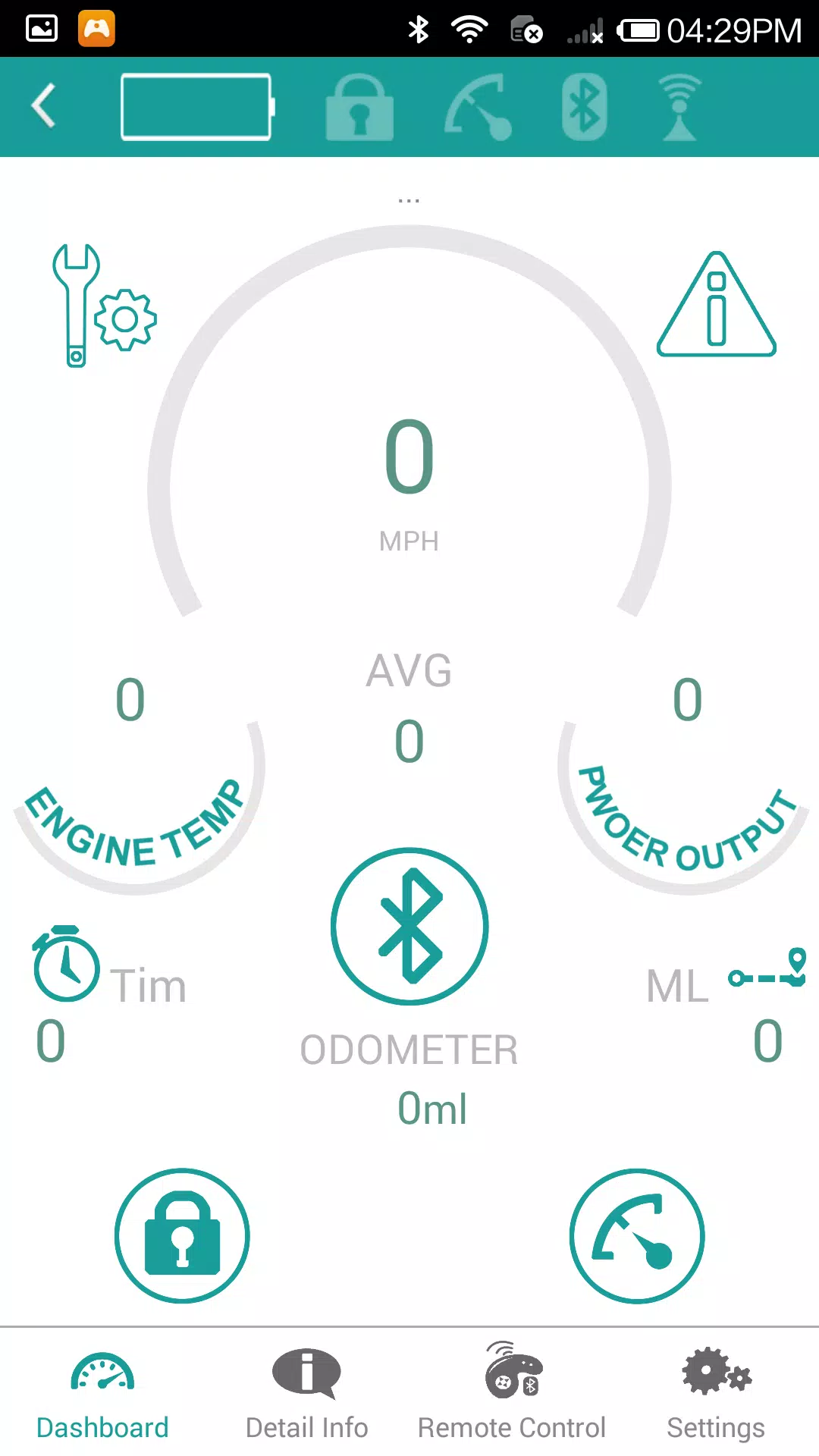
The Ninedroid app exists for a specific, narrow purpose: pairing over Bluetooth with the original generation of Ninebot self-balancing scooters and personal transporters, then surfacing the data those vehicles already collect internally. As a dedicated Ninebot Bluetooth app, once you complete the Ninedroid app download and pair your device, the dashboard mirrors what you'd see on the scooter's own display — current speed, average speed, odometer, engine temperature and power output — but adds trip history, firmware version tracking and a remote-control screen that most stock scooter firmware doesn't expose on its own.
We tested the Ninedroid APK build 2.1.6 against a first-generation Ninebot unit on Android: pairing took under ten seconds once Bluetooth and location permissions were granted, and the dashboard updated speed and battery readings with no noticeable lag while riding. The main practical value of this Ninebot controller app is for owners of older Ninebot hardware that Segway-Ninebot's newer official app no longer lists as compatible — Ninedroid keeps that hardware usable without needing a separate legacy device just to see a battery percentage. You can read more about how we test and verify these builds on our About Us page.
If you own a current-generation Segway-Ninebot scooter or e-bike, this is not the app you want — use the manufacturer's current Segway-Ninebot application instead. Ninedroid is purpose-built for the older hardware line described in the specifications above, and the APK on this page is the same free build you'd find listed under the Ninedroid app name on mainstream Android app repositories.
What you can do once you're paired
Real-time dashboard
Live speed, average speed and odometer readouts, refreshed continuously over the Bluetooth link while you ride.
Battery & temperature
Battery level and engine temperature displayed as simple gauges, so you can spot a draining pack or overheating motor early.
Trip & mileage tracking
Running time, total mileage and per-session distance are logged automatically each time you connect.
Remote control screen
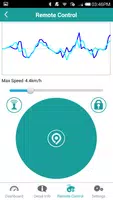
A dedicated joystick-style control screen with a live max-speed graph, for guiding the scooter remotely at low speed.
Lock, unlock & diagnostics
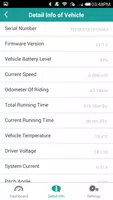
Lock the vehicle electronically, pull serial number, firmware version and battery voltage, and check for reported errors.
Lighting & speed limits
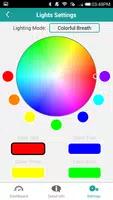
Customize LED lighting modes and colors, and set a speed limit appropriate for new riders or shared use.
Inside the app
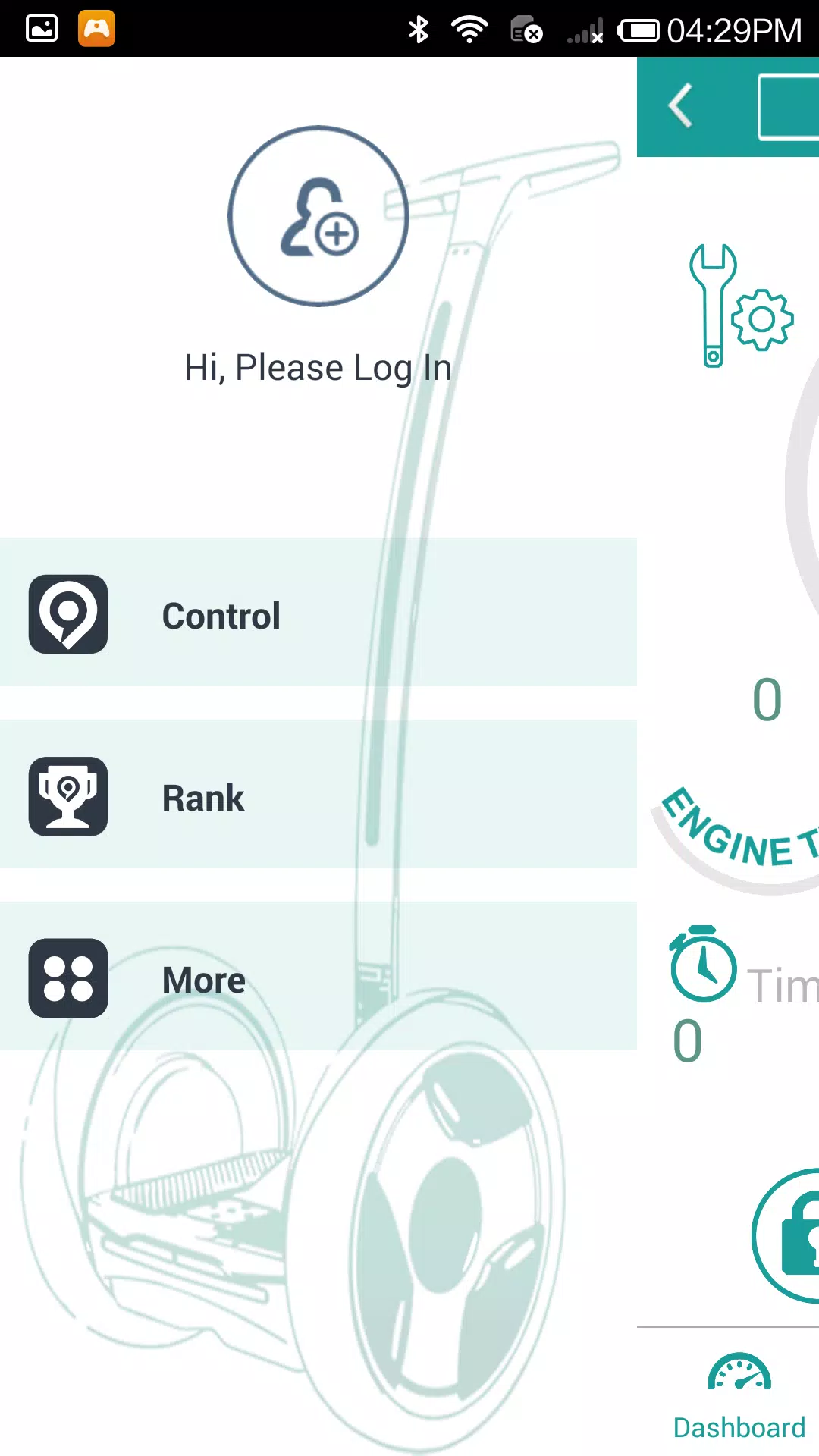
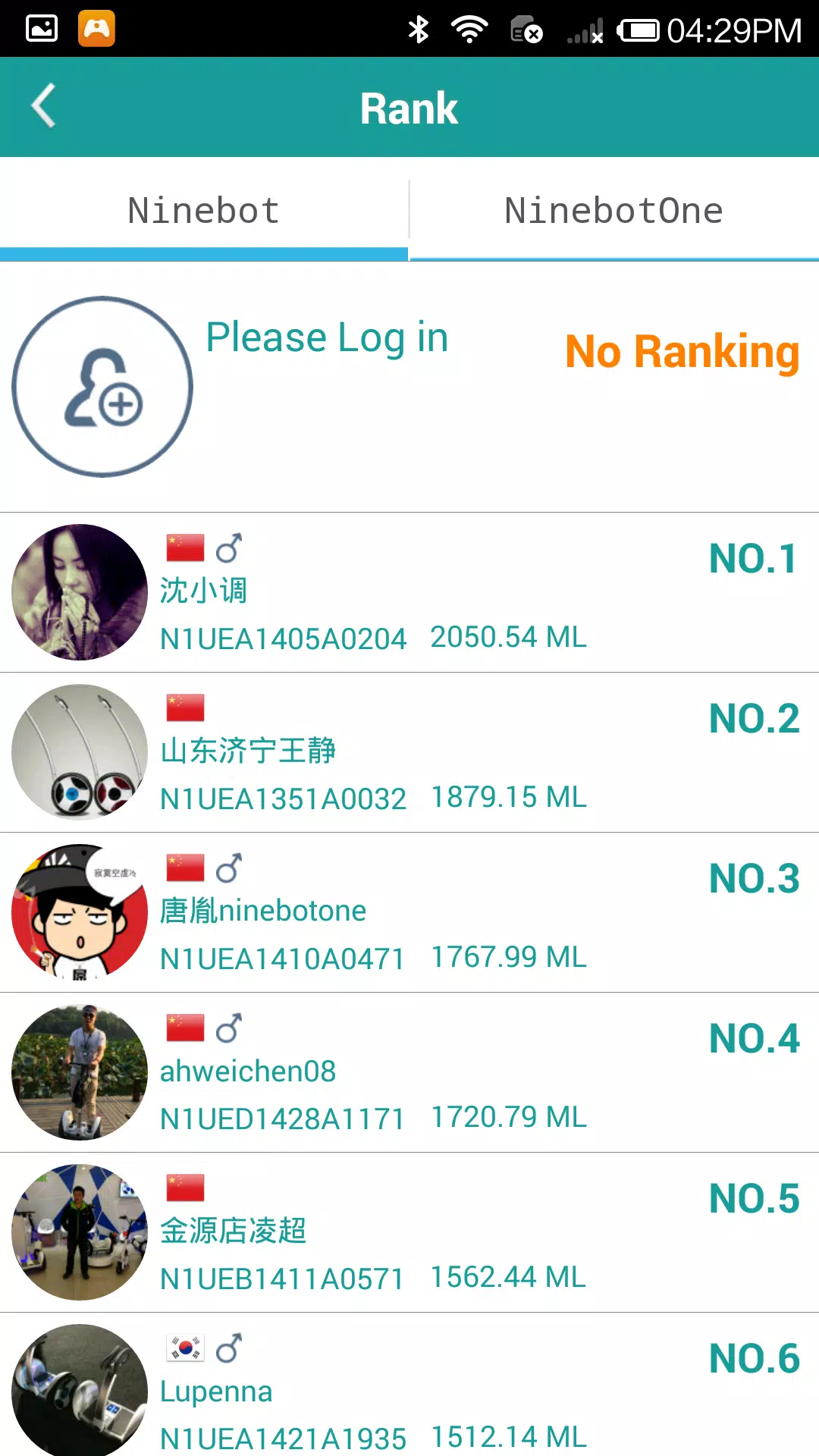
Actual screenshots from the 2.1.6 build, unedited.
How to download and install the Ninedroid APK
Complete the Ninedroid app download
Use the download button on this page to save the Ninedroid APK, version 2.1.6 (about 6.0 MB), to your smartphone.
Allow installs from this source
Since the app is installed outside the Play Store, Android will ask you to allow installation from your browser or file manager the first time — approve this for the download to proceed.
Open the downloaded file
Tap the completed download, then tap "Install" and wait for the process to finish.
Grant Bluetooth and location permissions
On first launch, accept the Bluetooth and location permission prompts — both are required for the app to discover your scooter.
Power on your scooter and pair
Switch on your Ninebot vehicle, open Ninedroid, and select it from the discovered devices list to connect the dashboard.
Run into a problem during setup? Our full troubleshooting guide covers pairing failures, dropped connections and permission errors step by step.
Which Ninebot devices work with Ninedroid
Ninedroid pairs with the original Bluetooth-enabled Ninebot line. Check your model against the list below before installing.
| Device family | Example models | Works with Ninedroid |
|---|---|---|
| Ninebot One self-balancing scooter (single-wheel) | Ninebot One C+, One E, One S2 | Yes |
| Ninebot personal transporter (two-wheel, Segway-style) | Ninebot by Segway original series | Yes |
| Legacy Ninebot mini series | Ninebot Mini, Mini Pro (early firmware) | Yes, on original Bluetooth firmware |
| Current-generation Segway-Ninebot electric scooters | Segway-Ninebot MAX, ES, KickScooter series | No — use the official Segway-Ninebot app |
| Segway-Ninebot e-bikes | Segway-Ninebot e-bike series | No — use the official Segway-Ninebot app |
Not sure which category your device falls into? Check the model label on the scooter's deck or stem — if it predates 2018 and paired originally via a Bluetooth app rather than Wi-Fi, Ninedroid is very likely the correct companion app.
How Ninedroid compares to the current Segway-Ninebot app
| Capability | Ninedroid | Official Segway-Ninebot app |
|---|---|---|
| Supports legacy Ninebot Bluetooth scooters | Yes | Dropped in recent versions |
| Supports current Segway-Ninebot models | No | Yes |
| Install size | ≈6.0 MB | Typically 80–150 MB |
| Account required for core dashboard | No | Yes |
| Firmware & serial number lookup | Yes | Yes |
| iOS availability | Not available | Available |
Ninedroid APK changelog
- Improved compatibility with Android 5.0 devices
- Fixed a network connection issue affecting some Bluetooth pairings
- General performance improvements and bug fixes
- Stability improvements to the real-time dashboard refresh rate
- Minor fixes to the lighting settings color wheel
- Introduced the rank/leaderboard screen for logged-in riders
- Added remote control screen with live max-speed graph
Common Ninedroid problems, quickly explained
For the full walkthrough with every error scenario, see our complete troubleshooting guide.
App won't find my scooter
Usually a Bluetooth or location-permission issue. Toggle Bluetooth off and on, and confirm location access is granted to the app.
Connects, then drops instantly
Often caused by another app (like a newer Segway-Ninebot app) holding the Bluetooth connection in the background. Close other Bluetooth apps first.
Dashboard shows all zeros
Usually means pairing succeeded but the scooter hasn't sent its first data packet yet — ride a few meters or wait 5–10 seconds for the first reading.
Where Ninedroid helps — and its limits
Strengths
- Tiny install size (≈6.0 MB) and works from Android 3.0 onward
- Keeps older Ninebot hardware usable after newer apps dropped support
- Live gauges match what riders already expect from the scooter's own display
- Lets you check firmware version and serial number without a computer
Limitations
- Only works with legacy Ninebot devices, not current Segway-Ninebot models
- Interface design is dated compared to modern companion apps
- No iOS version is available
- Ranking/leaderboard features require creating an account
Reviewed by the Nine Droid Technologies team
Installed and paired on a physical Android device with a first-generation Ninebot unit. Last verified on June 23, 2026. Learn more about our review process, or questions about this review? Contact us.
Common questions
Is Ninedroid free to download?
Yes. Ninedroid is free to download and use, with no paid tier or in-app purchase required to connect to a compatible Ninebot device.
How do I download and install the Ninedroid app?
Tap the download button on this page to save the Ninedroid APK to your smartphone, allow installs from your browser when prompted, then open the file and tap Install. Once installed, the Ninedroid app can pair with your Ninebot device over Bluetooth.
Which Ninebot devices does Ninedroid support?
It's built for the original Ninebot self-balancing scooters and personal transporters that pair over Bluetooth. Newer Segway-Ninebot scooters and e-bikes are managed through the manufacturer's newer Segway-Ninebot app instead.
Why does the app ask for location permission?
Android requires location permission for any app that scans for nearby Bluetooth devices. Ninedroid uses it only to discover and pair with your scooter — not to track your rides via GPS.
What Android version do I need?
Android 3.0 or higher. The 2.1.6 build specifically improves compatibility with Android 5.0 devices and fixes earlier network connection issues.
The app won't connect to my scooter. What should I check?
Confirm Bluetooth is on for both phone and scooter, that location permission is granted, and that no other app is already holding the Bluetooth connection. Toggling Bluetooth off and on again resolves most pairing issues. Our full troubleshooting guide covers every scenario in detail.
Is the Ninedroid APK safe to install?
This page hosts the same 2.1.6 build distributed through mainstream Android app repositories. Always confirm the file size (~6.0 MB) and the permissions list above before installing anything.
Still have questions? Contact us — we read every message.
Ready to connect your Ninebot?
Complete the Ninedroid app download now — the free smartphone-app APK, 6.0 MB, for Android 3.0 and up.
⬇ Download Ninedroid APK v2.1.6Last updated June 23, 2026 · Content rating: Everyone